Introducing Cost Units: Connecting cloud spend to KPIs
Connect cloud spend to real business outcomes. Cost Units in Coststreams help teams measure cost per click, impression, customer, or other KPIs using real-time cloud cost allocation.
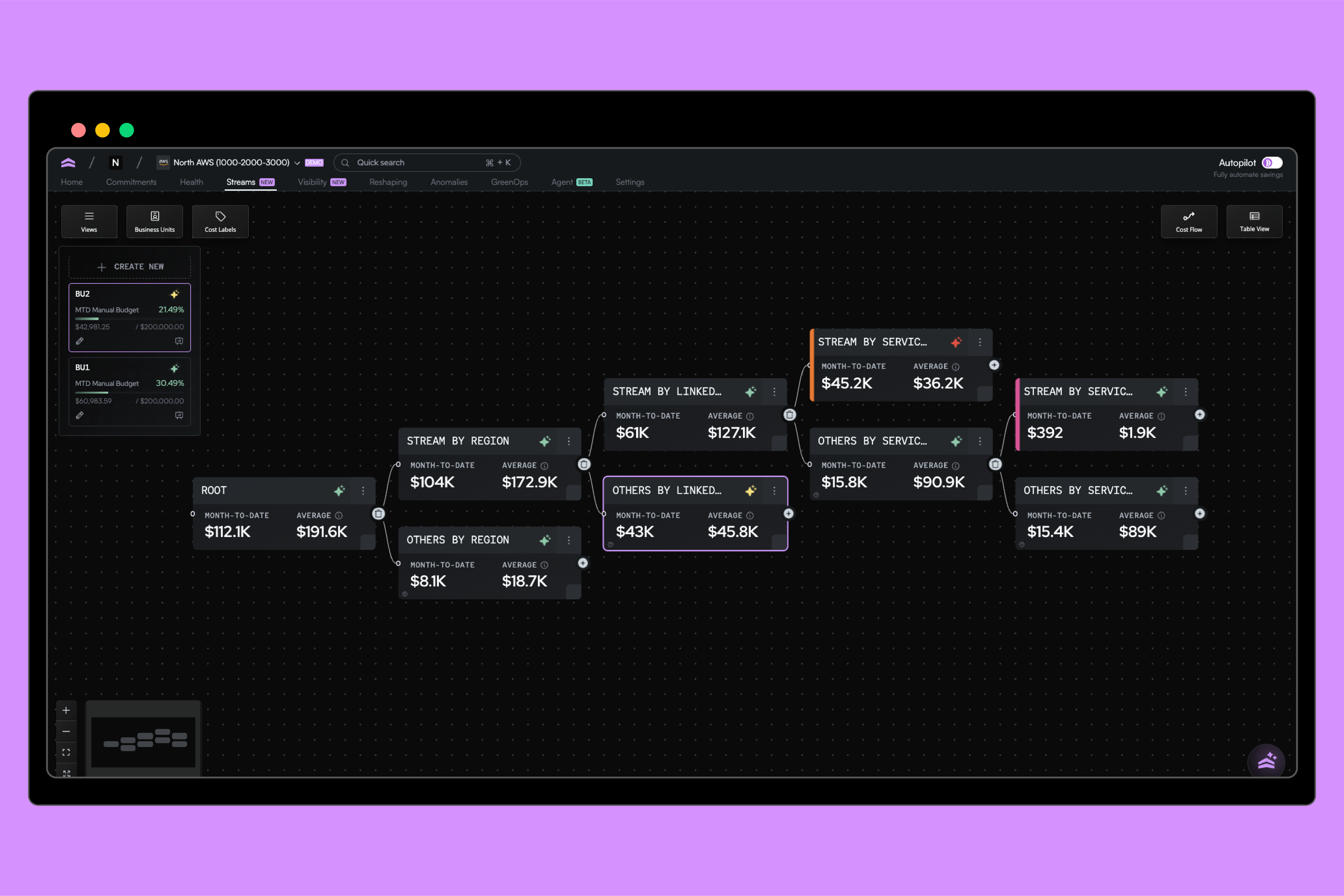
Today, we’re introducing Cost Units, a new capability inside Coststreams that helps teams measure cloud spend against the business metrics they already care about. Whether it’s cost per click, impression, customer, or incident, Cost Units adapt to the metrics that matter most to your business.
Instead of looking at cloud costs in isolation, Cost Units let you see how infrastructure spend translates into real outcomes, at the business unit level, in real time.
Why we built Cost Units
Coststreams already helps teams allocate cloud spend across Business Units without relying on tagging. Business Units represent how your organization actually operates—a team, product, service, region, or any logical grouping you use to own and manage costs.
Instead of forcing cloud infrastructure to fit a tagging scheme, Business Units let you define ownership once and keep it consistent as your environment changes. That gives you a clear, real-time view of where money is going and who it belongs to.
.png)
But for many teams, the next question is more important: what are we getting in return?
Marketing teams talk about cost per click or cost per impression. Product teams think in terms of active users or feature adoption. Finance teams care about ROI, efficiency, and how those numbers change over time.
The challenge is that cloud spend is rarely part of those conversations. Business metrics and cloud costs live in different systems, so connecting them often requires manual work and stitched-together reports just to get a partial picture.
Cost Units exist to close that gap, bringing cloud costs and business metrics together in one place so teams can understand efficiency consistently and over time.
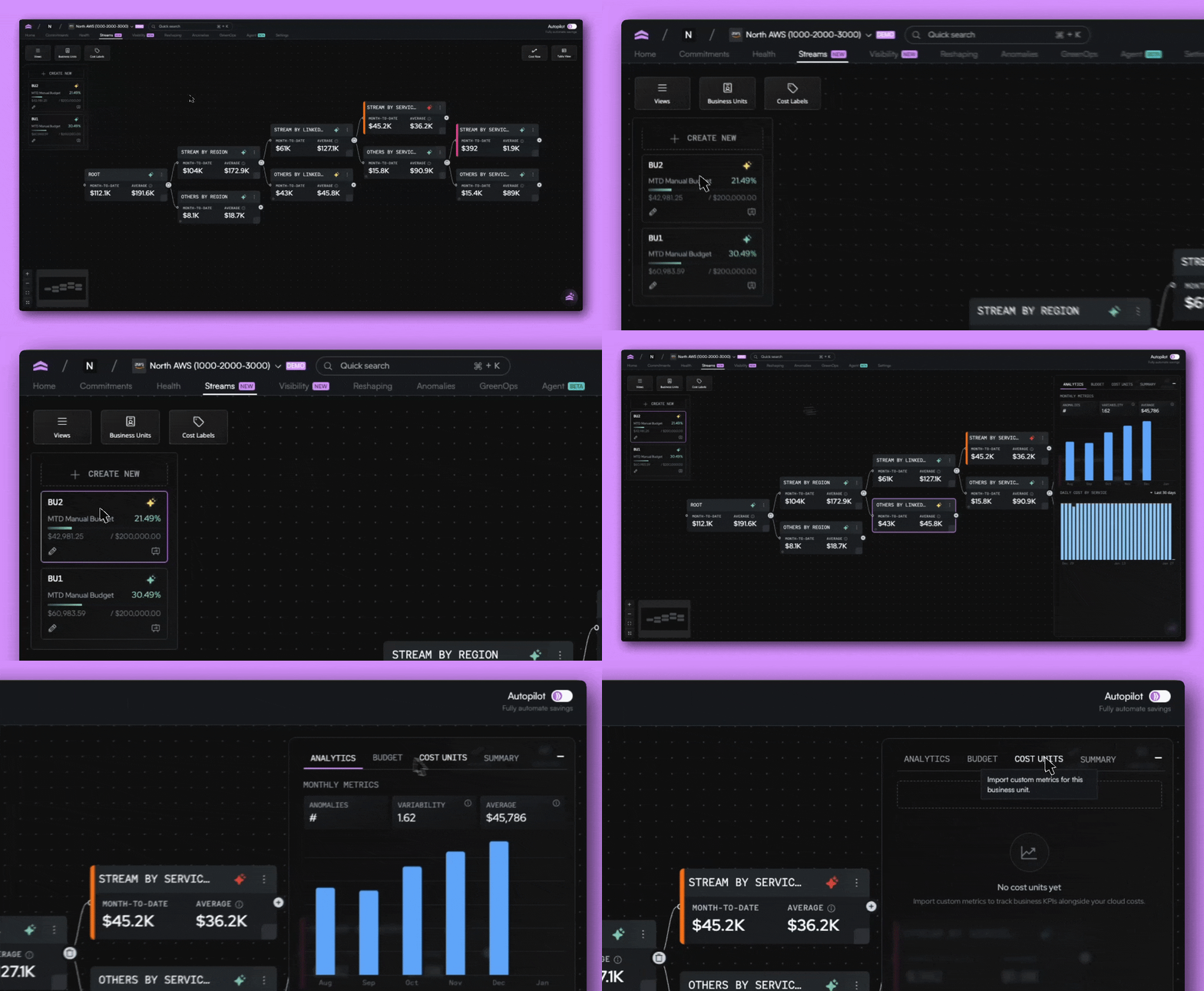
Bring your own metrics, on your terms
Cost Units are intentionally flexible. You define the metric, decide the granularity, and choose how it maps to your Business Units. There’s no fixed schema or prescribed KPI. If it matters to your business, you can measure it.
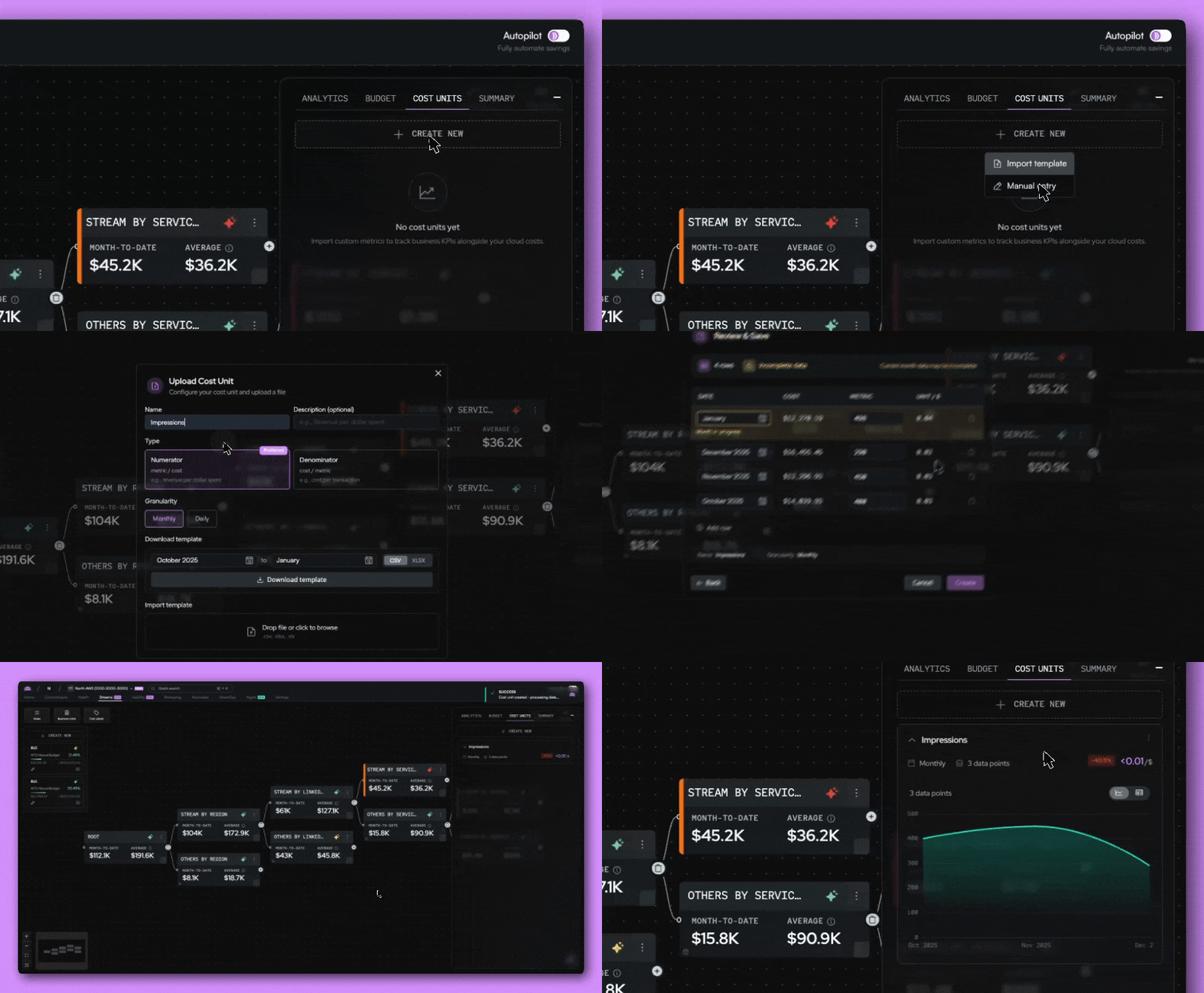
To support different workflows, Cost Units offer multiple ways to bring metrics into North.
- Enter values manually for quick experimentation
- Upload data via files for historical backfills
Measuring performance with Cost Units
Cost Units give you flexibility in how you define and track performance, so you can measure efficiency in the way that makes the most sense for your team.
Pick how you want to measure
You can define Cost Units in either direction, depending on how you want to think about performance. Some teams calculate cost per KPI, such as dollars per click or dollars per impression. Others flip the relationship and calculate KPI per cost, like clicks per dollar spent. Both views are supported.
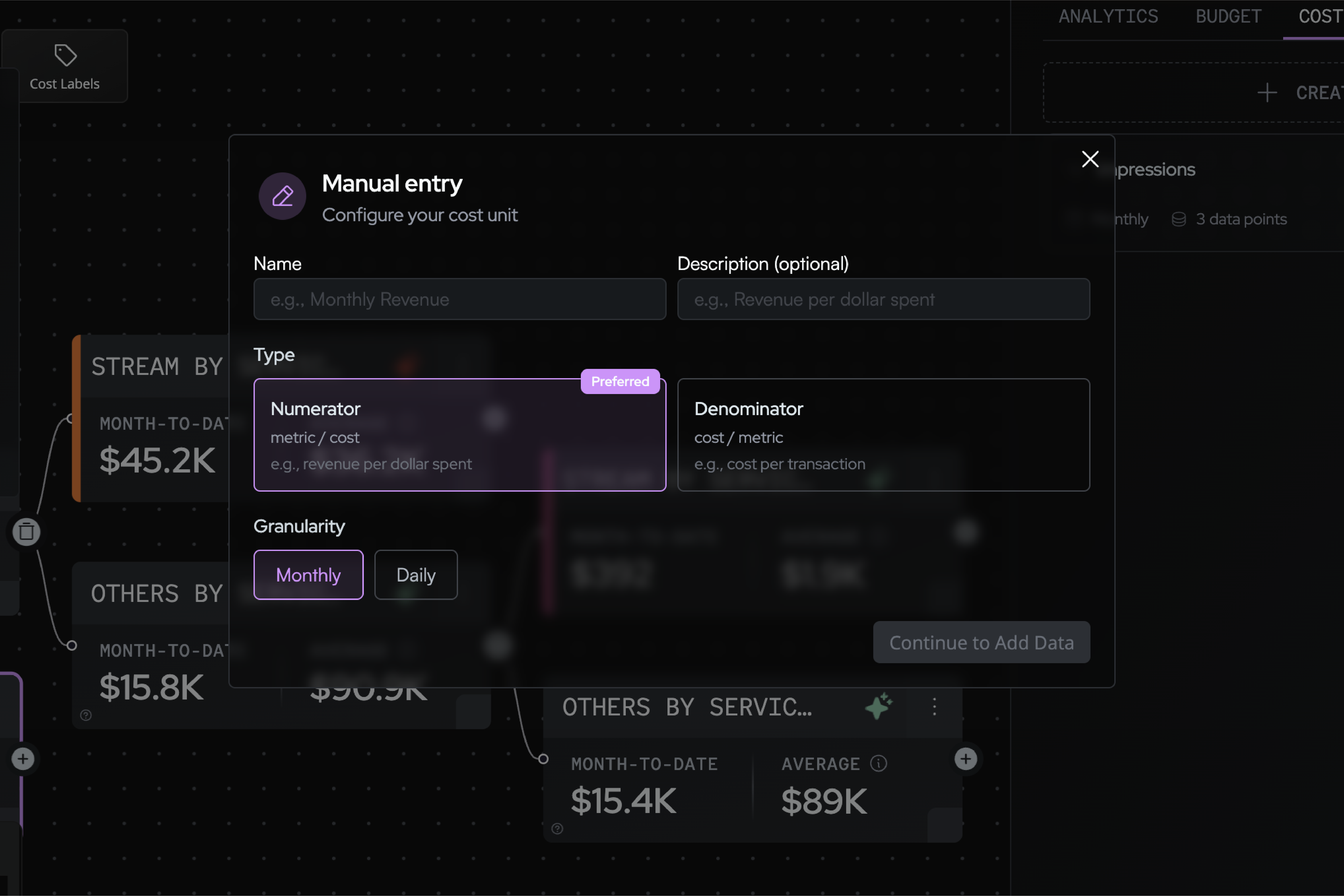
For example, if a business unit spent $1,000 in cloud costs on a given day and generated 200 clicks, you could view that as $5 per click, or 0.2 clicks per dollar.
You can adjust the time granularity to view performance daily or monthly, depending on how closely you want to track changes.
Measure performance over time
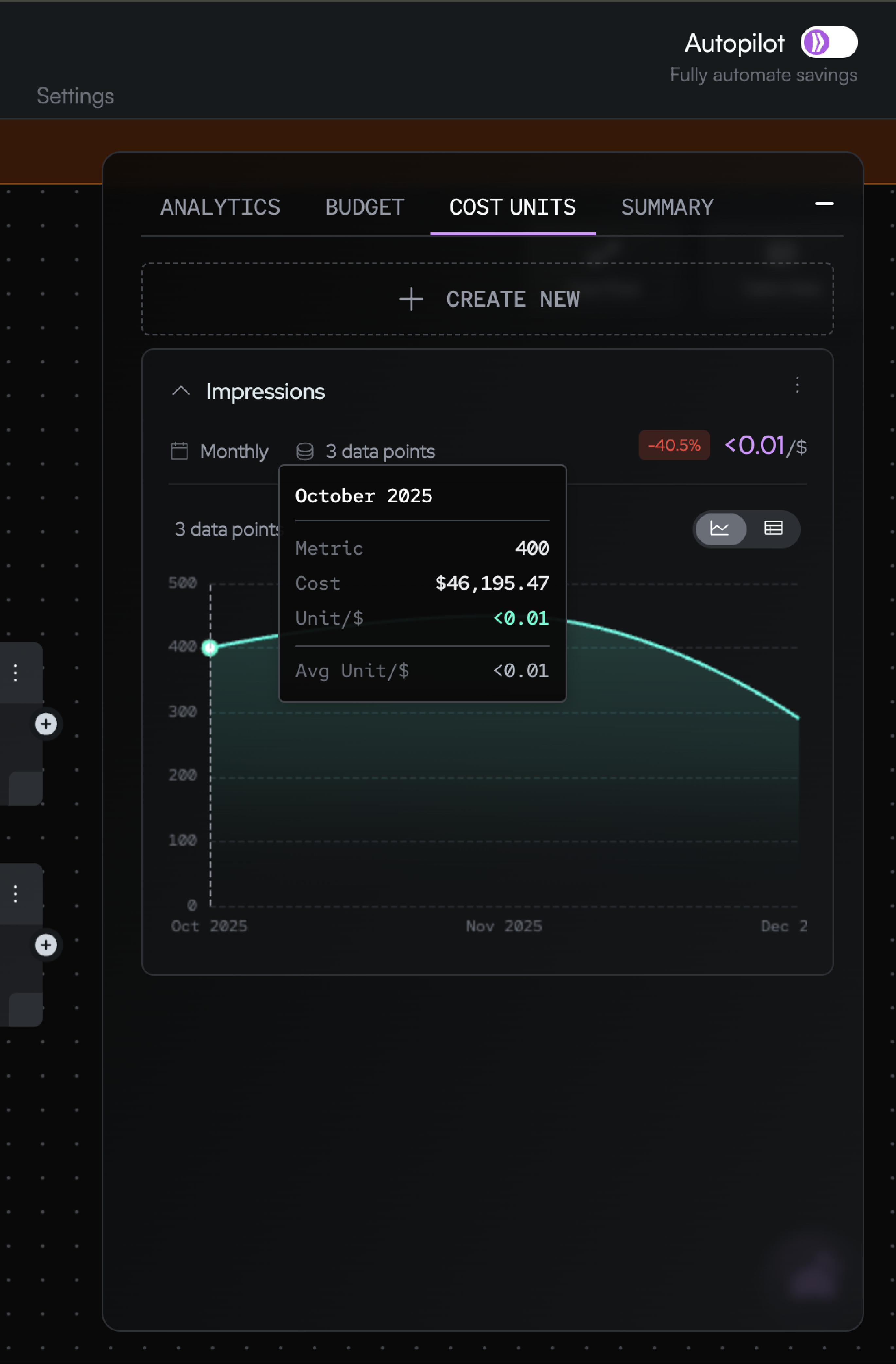
As cloud costs and business metrics update over time, Cost Units track how that efficiency changes. You can see trends, month-over-month shifts, and whether your cost per outcome is improving or drifting.
A simple model, intentionally
Behind the scenes, Cost Units are straightforward by design.
North already knows your daily cloud spend. You provide the corresponding business metric for the same period. Cost Units calculate the relationship between the two and track how it evolves over time.
There’s no black-box modeling or opaque assumptions. The value comes from bringing two datasets together in one place, consistently and at scale.
Get started with Cost Units
Cost Units are available inside Coststreams and build directly on your existing allocation setup. If you already use Coststreams, you’re only a few steps away from attaching business metrics to your cloud spend.
Jump into the Streams tab in the app to explore Cost Units, upload your first metric, or connect via API to automate updates. And as always, Agent North can help you investigate trends or explain changes as they emerge.
This is the next step in connecting cloud costs to how your business actually runs, and we’re excited to see how teams use it.

Related article

Book a demo
Get started in as little as 5 minutes with no long-term contracts or lock-ins. Pay month-to-month and stay flexible.


Make your cloud work smarter today
Get started in as little as 5 minutes with no long-term contracts or lock-ins. Pay month-to-month and stay flexible.


